
Modern workplaces increasingly depend on equipment that combines practical functionality with efficient use of space. Retail counters, restaurant service stations, reception desks, pharmacies, and small business offices often need several devices to complete daily transactions. As workspaces become more technology-driven, choosing compact equipment can help organizations maintain an organized environment without sacrificing essential capabilities.
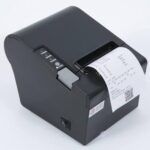
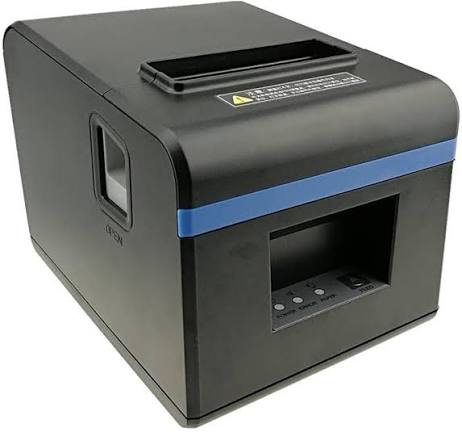
Receipt printers are one example of equipment where size and functionality both matter. A compact Xprinter Receipt Printer may be considered by businesses looking to integrate transaction printing into limited workspaces. Understanding the advantages and limitations of compact receipt printers can help organizations select equipment that fits their operational requirements.
Why Compact Equipment Matters in Modern Workplaces
Workplace layouts have changed as businesses introduce touchscreen POS terminals, payment devices, barcode scanners, computers, and other connected equipment. These devices require space, power connections, and convenient access for employees.
In smaller environments, bulky equipment can make counters crowded and reduce the space available for customer interactions. Compact receipt printers help address this challenge by providing printing functionality within a smaller physical footprint.
This can be particularly useful for businesses operating from kiosks, small retail stores, mobile service counters, and reception areas. However, compact dimensions should always be considered alongside printing performance and technical specifications.
Efficient Use of Limited Counter Space
One of the main reasons businesses consider compact receipt printers is their ability to fit into restricted installation areas. A smaller printer can leave more room for payment terminals, cash drawers, customer displays, and other essential equipment.
Retail Stores and Small Shops
Small retail businesses often operate with limited counter space. A compact printer can fit alongside a POS terminal without occupying a large part of the checkout area.
This arrangement helps employees access frequently used devices while keeping the transaction area organized. It may also make it easier to manage cables and maintain a clear workspace.
Restaurants and Cafés
Restaurants and cafés may install receipt printers at cashier counters, service stations, or other designated locations. Compact models can be useful where several devices need to share a limited surface.
A smaller design may also help businesses organize equipment in takeaway counters and quick-service environments where employees need convenient access to payment and order-management tools.
Reception Desks and Service Counters
Hotels, clinics, repair shops, and other service providers often use reception desks for administrative work and payment processing. Compact receipt printers can be placed near computers or POS terminals while leaving space for documents and customer-facing activities.
Supporting Flexible Workplace Layouts
Modern businesses do not always rely on fixed checkout arrangements. Some use temporary service counters, mobile sales stations, or flexible workspaces that can be rearranged according to operational needs.
Compact receipt printers may make these setups easier to organize, particularly when their dimensions and connection options suit the intended environment.
For example, a small retail business may rearrange its counter during seasonal promotions, while a restaurant may change its service layout to accommodate different customer volumes. Equipment that is easy to position can provide greater flexibility.
However, businesses should consider power access, cable management, network availability, and safe installation when relocating printing equipment.
Integration with Modern POS Systems
Compact size alone does not determine whether a receipt printer is suitable for a workplace. It must also communicate effectively with the POS system and other connected devices.
Depending on the model, receipt printers may offer USB, Ethernet, serial, Bluetooth, or Wi-Fi connectivity. These interfaces support different installation arrangements and should be selected according to the business’s existing technology.
USB connections are common for direct connections to individual POS terminals. Ethernet may be suitable for network-based installations, while wireless options can support compatible mobile checkout arrangements.
Before purchasing, businesses should verify the exact connectivity options, operating system support, driver availability, and compatibility with their POS software.
Maintaining Reliable Printing Performance
A compact printer must still meet the workload expected in its operating environment. Businesses should evaluate printing speed, resolution, paper capacity, and supported usage levels rather than assuming that smaller equipment is automatically suitable for every application.
Printing Speed
Printing speed affects how quickly transaction records are produced. A business with frequent customer transactions may need a model capable of handling its normal and peak-hour workload.
A printer that is too slow for the environment can create delays even if its physical size is convenient.
Print Quality
Receipts must contain readable transaction details, including product descriptions, prices, taxes, and payment information. Businesses should review print resolution and test sample output before selecting a model.
Consistent printing quality is important for customer service and accurate recordkeeping.
Paper Loading and Capacity
Compact printers may have different paper compartment designs and roll capacities. Businesses should check the supported paper width and maximum roll diameter to ensure that the equipment meets their requirements.
Easy paper replacement can also help employees maintain smooth operations during busy periods.
The Role of Compact Printers in Different Industries
Compact receipt printers can support several workplace environments, although the required specifications vary by industry.
Retail and Grocery Businesses
Retailers use receipt printers to produce transaction summaries and provide customers with proof of purchase. Compact models can be useful at checkout stations where space is shared with scanners, payment terminals, and cash drawers.
High-volume stores should prioritize suitable printing speed and reliable operation alongside compact dimensions.
Hospitality and Food Service
Restaurants, cafés, and takeaway businesses need printing equipment that fits their service layouts. Compact printers can support customer billing and other POS-related workflows when configured with compatible software.
Businesses should also consider how the printer will connect to other service equipment and whether the selected model can handle expected printing demand.
Healthcare and Pharmacy Environments
Pharmacies and certain healthcare-related retail environments use receipts to document purchases and payments. Compact printers can fit into counters that already contain computers, payment devices, and other administrative equipment.
Organizations should verify that their printing systems work with the relevant billing software and follow applicable requirements for handling customer information.
Small Offices and Professional Services
Repair shops, salons, ticket counters, and professional service providers may need to issue payment receipts without maintaining a large checkout area. Compact printing equipment can provide a practical option when its specifications match the organization’s transaction requirements.
Maintenance Considerations for Compact Receipt Printers
Regular maintenance helps preserve printing quality and reduce unnecessary downtime. Compact equipment should receive the same attention as larger printing devices, particularly in workplaces where receipts are produced throughout the day.
Businesses can follow several basic practices:
- Clean the print head according to manufacturer instructions.
- Remove dust and paper residue from the paper compartment.
- Use compatible thermal paper when required.
- Check cables and connectors for wear or loose connections.
- Keep the printer in a suitable location away from excessive heat and moisture.
- Follow recommended procedures when replacing paper rolls.
- Update drivers or firmware when applicable.
Employees should also understand how to clear minor paper jams safely. Proper handling can help prevent avoidable damage to internal components.
How to Choose a Compact Receipt Printer
Businesses should compare compact printers according to both physical requirements and operational needs. A small design may be attractive, but the device must also support the business’s software, transaction volume, and receipt format.
Important factors include:
- Physical dimensions: Measure the available installation space before selecting a model.
- Printing performance: Check speed, resolution, and expected daily workload.
- Connectivity: Confirm compatibility with the existing POS hardware and network.
- Paper specifications: Review supported paper width, roll diameter, and paper type.
- Software support: Verify drivers and compatibility with the business’s operating system.
- Ease of use: Consider paper replacement, control placement, and routine operation.
- Maintenance requirements: Review cleaning procedures, replacement parts, and technical assistance.
- Total operating cost: Consider the purchase price, consumables, and ongoing support.
A practical comparison helps businesses avoid choosing equipment based only on its size or appearance.
Compact Design and Future Workplace Requirements
As workplaces adopt more integrated technology, equipment selection increasingly involves balancing physical size with connectivity and performance. Compact receipt printers can contribute to more organized workstations, but their usefulness depends on how well they fit into the broader business system.
Future workplace layouts may include more mobile terminals, wireless devices, and flexible service stations. Businesses should therefore consider whether their chosen printer supports the connections and software they expect to use.
Planning for future requirements can help organizations avoid replacing equipment too quickly as their operations develop.
Conclusion
Compact receipt printers are becoming increasingly relevant in workplaces where space efficiency, organized equipment layouts, and convenient transaction processing are important. Their smaller dimensions can make them suitable for retail counters, restaurants, reception desks, pharmacies, and other environments with limited installation space.
When evaluating an Xprinter receipt printer, businesses should look beyond its physical size and review printing speed, output quality, connectivity, paper compatibility, and software support. Selecting equipment that balances compact design with practical performance can help create a more efficient and organized workplace.